
The node_modules folder is famous for the space it can occupy. As projects grow and evolve, the accumulation of dependencies can lead to excessive clutter, turning into a monster that consumes megabytes and megabytes.
This is where npkill comes into play, an open-source script designed to quickly and safely delete node_modules folders. This tool allows us to select specific projects and free up valuable hard drive space, cannibalized by NPM.
Another alternative is to use the PNPM package manager, similar and compatible in syntax with NPM, but designed to be faster and take up less space. We cover it in this post What is and how to use PNPM]
What is npkill?
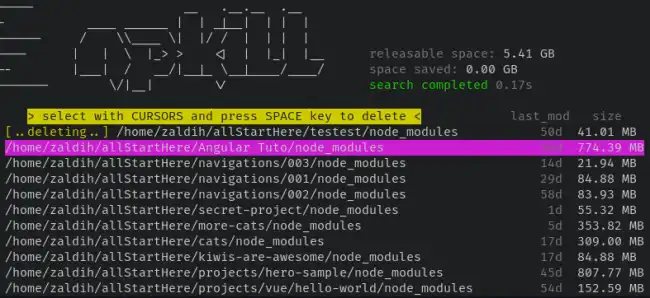
npkill is a tool that simplifies the process of cleaning NPM projects by offering an interactive way to select which node_modules folders to delete. npkill provides a simple interface and advanced options for personalized dependency management.
Installing NPkill
Installing npkill is straightforward and can be done via NPM:
npm install -g npkill
Using NPKill
Once installed, simply open a terminal and navigate to the root of the folder containing the projects you want to clean.
npkill
This will start the project scanning process and present you with options to select the node_modules folders to be deleted. We simply have to follow the instructions and choose the files we want.
More information and the source code on the project’s website GitHub - voidcosmos/npkill